
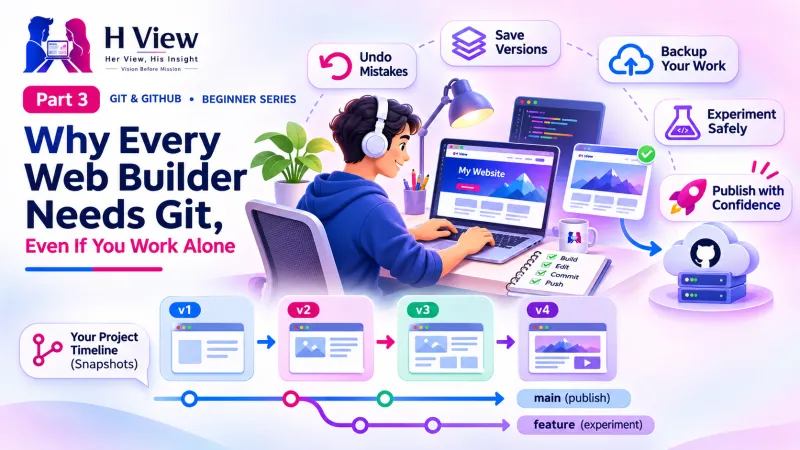
Why Every Web Builder Needs Git, Even If You Work Alone (Part 3)
Git is not just for big tech teams. Here is why solo web builders, freelancers, students and AI-assisted coders need it from day one. Part 3 of our visual Git and GitHub series.
You should use Git because it protects your work. It lets you undo any mistake, see exactly what changed, try ideas safely, keep an online backup and show your work to clients and employers. These benefits matter just as much when you work alone as when you work in a team.
When Sneha told her cousin she was learning Git, he shrugged. "Isn't that for big IT companies? You just make small websites." It is a fair question, and one many beginners ask. In Part 1 we learned what version control is, and in Part 2 we separated Git from GitHub. This Part 3 answers the cousin with real situations that web builders in India face every week.
Your one-minute summary
- Git is your undo button for the whole project, not just one file
- It is essential with AI coding tools, which can change many files at once
- Freelancers can track client changes and roll back when a client changes their mind
- A GitHub profile works as a living portfolio
- Git is free, and about 5 commands cover most daily work
What goes wrong when you do not use Git?
Most disasters are small and ordinary. A file is overwritten, a "quick fix" breaks the checkout page, or a laptop dies the night before a client demo. Without Git, each of these costs hours. With Git, each takes minutes.
| Everyday situation | Without Git | With Git |
|---|---|---|
| The site worked yesterday, now it is broken | Guess what changed, retype from memory | See the exact lines changed and restore them |
| An AI tool rewrote five files | Hope it can undo its own changes | Review every change and discard the bad ones |
| Client says "go back to the old design" | Search through zip files and emails | Jump back to the commit "Old homepage design" |
| Laptop stolen or crashed | Project lost | Download everything again from GitHub |
| A friend helps with the code | Email files back and forth, work gets overwritten | Both push to GitHub, Git combines the changes |
Hours lost vs minutes spent
The time Git saves grows with every project you build.
Why does Git matter even more with AI coding tools?
AI assistants such as GitHub Copilot, ChatGPT and Claude can write and change code across many files in seconds. That speed is wonderful until a change quietly breaks something. Git gives you a checkpoint before every AI change and a clear list of what the AI did afterwards.
This is not a niche concern. GitHub's Octoverse 2025 report says 80% of new developers on GitHub use Copilot in their first week. Most new web builders now code with AI from day one, so most of them need a safety net from day one too.
A safe AI coding routine
Part 20 of this series is dedicated to using Git with AI tools.
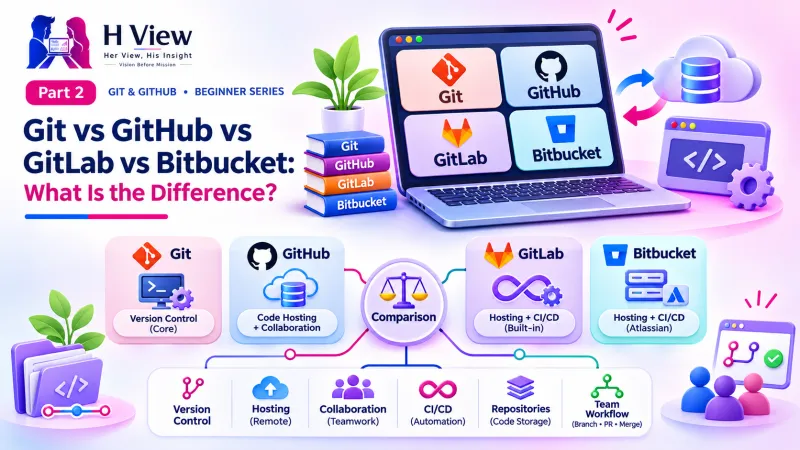 Also readGit vs GitHub vs GitLab vs Bitbucket: What Is the Difference? (Part 2)→
How does Git help freelancers and agencies?
Client projects change constantly. Git turns that chaos into a clear record you can use when the client changes their mind, disputes what was delivered or asks for an old version back.
A client project, tracked with Git
The history also protects you professionally. If a client says "you never added the WhatsApp button", your commit log shows the date and message when you did.
Can Git and GitHub help you get a job?
Yes. Recruiters and clients increasingly ask for a GitHub profile link alongside a CV. Your profile shows real projects, how often you work and how clearly you explain your changes, which is often more convincing than a certificate.
What your GitHub profile shows an employer
Is Git hard to learn?
No. Git has many advanced features, but daily work uses a handful of commands. Many people also use buttons in VS Code or GitHub Desktop instead of typing commands at all.
The five commands you will use most
We learn each of these step by step in Parts 7 to 9. The full reference lives in the official Git documentation.
How much does Git cost?
Nothing. Git is free and open source, and GitHub's free plan includes public and private repositories plus free website hosting through GitHub Pages. For a student or new freelancer, the only investment is a few hours of learning.
Who should use Git?
Git is for more people than you think
Obvious users
- Students building college projects and portfolios
- Freelancers managing several client websites
- Developers in companies of any size
Surprising users
- Small business owners who edit their own site
- Designers who write HTML and CSS
- Writers and researchers keeping notes in plain text
- Anyone using AI coding tools
Before Part 4, make sure you can
- Name three problems Git solves for solo web builders
- Describe the "commit before AI changes" routine
- Explain how Git protects a freelancer in a client dispute
- List what a GitHub profile shows an employer
- Name the five everyday Git commands
Her View
For many first-generation coders, especially women returning to work after a break or learning from home, confidence is the real barrier, not ability. Git quietly builds that confidence. Every commit is proof of progress, and a GitHub profile turns private effort into something others can see and value. Start small, commit often, and let your history tell your story.
 Also readWhat Is Version Control? Git and GitHub for Beginners (Part 1)→
His Insight
Think of Git as insurance with zero premium. The cost is a few seconds per commit; the payout is hours saved every time something breaks. For freelancers, the commit history is also a professional record of what was delivered and when. Set a simple rule: commit before every AI change, before every deployment and at the end of every work session.
H View Verdict
Git is not a "big team" tool. It is the most practical safety net a solo web builder can have, especially in the age of AI coding. It is free, quick to start and valuable from the very first project. In Part 4, we look inside Git to understand how it thinks, with its three areas: working folder, staging area and repository.
Self-assessment: test yourself
Ready? Tap an option for each question. You will see right away whether you got it, with a short explanation, and your score at the end. Take your time, and try again as often as you like.
Why use Git quiz: 10 questions
1. What should you do just before asking an AI tool to change your code?
- Delete old files
- Make a commit as a checkpoint
- Uninstall Git
- Create a new GitHub account
A commit before AI changes gives you a clean point to compare with and return to.
2. According to Octoverse 2025, what share of new GitHub developers use Copilot in their first week?
- 20%
- 50%
- 80%
- 100%
GitHub reports that 80% of new developers use Copilot in their first week.
3. A client asks for the old design back. With Git, you
- Redesign it from memory
- Ask the client for screenshots
- Restore it from an earlier commit
- Start a new project
Every earlier version is saved in history and can be restored.
4. Which command shows what has changed in your project?
- git status
- git push
- git pull
- git clone
git status lists changed, new and deleted files.
5. How much does Git cost?
- It is free
- ₹499 a month
- Free only for students
- Free for 30 days
Git is free and open source for everyone.
6. Your laptop crashes the night before a demo. If you pushed to GitHub, you
- Lose everything
- Download the whole project again from GitHub
- Must rewrite from scratch
- Need a paid plan to recover
GitHub holds a full copy of your history, so you can clone it on any computer.
7. How does Git help in a client dispute about what was delivered?
- It sends invoices
- The commit log shows what changed and when
- It blocks the client
- It deletes old work
Commits carry dates and messages, a clear record of work done.
8. Which of these does a GitHub profile NOT show?
- Real projects
- A contribution graph
- Your bank balance
- Live demos on GitHub Pages
Your profile shows your work, not private financial data.
9. "My project is too small for Git" is
- True; Git needs 100+ files
- A myth; small projects are the easiest place to start
- True for HTML sites
- True for students
Even a one-page site benefits, and setup takes about a minute.
10. In Sneha's story, how did she fix the missing mobile menu?
- She rebuilt the site
- She asked the client for help
- She checked the diff and restored the deleted CSS
- She switched to a new laptop
Because she committed first, the diff showed exactly what the AI removed.
Frequently asked questions
Do I need Git if I only build simple HTML websites?
Yes. Even simple sites break, get edited by clients and need backups. Git takes a minute to set up and protects every future change.
Is Git useful if I use website builders like WordPress?
It is most useful for code you write or edit, such as themes, plugins and custom HTML, CSS or JavaScript. Content stored in a database, such as WordPress posts, needs a separate backup.
Can Git undo changes made by AI coding tools?
Yes, if you commit before the AI makes changes. You can then see the AI's edits as a diff and keep or discard them.
Will learning Git help me get freelance work?
It helps. A GitHub profile with real projects and live demos shows clients your skills more clearly than a description alone.
H View stories follow our editorial policy. Spotted an error? Tell us and we will correct it.
Rate this article
One tap is enough. No comment needed.
Was this article helpful?
Your answer goes straight to our editors.







Comments0
No comments yet. Start the conversation.