
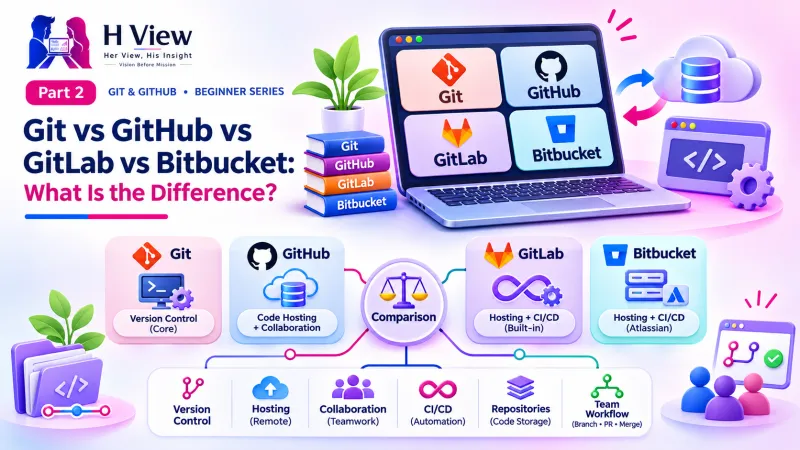
Git vs GitHub vs GitLab vs Bitbucket: What Is the Difference? (Part 2)
Git is the tool, GitHub is a website for it, and GitLab and Bitbucket are its rivals. Part 2 of our visual Git and GitHub series clears up the most common beginner confusion.
Git is a free version control tool that runs on your own computer and records your project's history. GitHub is a Microsoft-owned website where you store Git projects online and work on them with others. GitLab and Bitbucket are rival websites doing a similar job. In short: Git is the tool; GitHub, GitLab and Bitbucket are places to keep and share its work.
After reading Part 1, Sneha messaged her friend Arjun, who works at a software company in Hyderabad: "So I should download GitHub?" Arjun laughed kindly. "That is the question everyone asks. Git and GitHub are not the same thing. Let me draw it for you." This Part 2 is that drawing. We answer the questions beginners ask most: "What is GitHub?", "How many types of GitHub are there?" and "What is the difference between all these Git websites?"
Your one-minute summary
- Git = the tool on your laptop that records history (free, created in 2005)
- GitHub = a website that hosts Git projects online (launched 2008, owned by Microsoft since 2018)
- GitLab = a rival with strong built-in automation; companies can run it on their own servers
- Bitbucket = Atlassian's Git website, popular with teams that use Jira
- You can use Git without GitHub, but GitHub needs Git
- All four speak the same Git language, so your skills transfer
What is the difference between Git and GitHub?
Git is software and GitHub is a service. Git lives on your computer and works even without the internet. GitHub lives on the internet and gives your Git project an online home, a web page, a backup and tools for teamwork.
Git and GitHub side by side
Git (the tool)
- Installed on your computer
- Records commits (snapshots)
- Works offline
- Free and open source
- Used by typing commands or through an app
GitHub (the website)
- Lives on the internet at github.com
- Stores copies of your Git projects
- Needs internet to sync
- Free plan, plus paid plans for teams
- Adds teamwork features: pull requests, issues, Pages, Actions
Git creates the history. GitHub stores and shares it.
How do Git and GitHub work together?
You do your work and take snapshots with Git on your laptop, then send ("push") those snapshots to GitHub. Teammates download ("pull") them from GitHub to their own laptops. GitHub becomes the shared meeting point.
From Sneha's laptop to GitHub and back
Push and pull get a full article of their own in Part 9.
One detail surprises many people: when you push, GitHub does not replace your laptop's copy. Both have the full history. If GitHub went down for a day, Sneha could keep working and push later. If her laptop were stolen, she could download everything again from GitHub.
 Also readWhat Is Version Control? Git and GitHub for Beginners (Part 1)→
What is GitHub, and why is it so popular?
GitHub is the world's largest home for code. It launched in 2008, and Microsoft completed its $7.5 billion acquisition of GitHub on 26 October 2018. Open source projects and private company code both live there.
GitHub in numbers (Octoverse 2025)
Source: GitHub Octoverse 2025.
For an Indian beginner, that India figure is worth pausing on. GitHub reports that India added more new developers in 2025 than any other country. The people you will collaborate with, learn from and compete with for jobs are already there. A GitHub profile has become something recruiters look at, much like a LinkedIn profile.
How many types of GitHub are there?
There is only one GitHub, but it comes in different plans and can be used through different apps. This is where the "types of GitHub" confusion usually comes from.
The GitHub family at a glance
Top row: plans (what you pay for). Bottom row: apps (how you use it). Check GitHub's pricing page for current plan details.
As a beginner, you need just two things: a GitHub Free account and, if you prefer clicking to typing, the free GitHub Desktop app. We set both up in Parts 5 and 6.
What are GitLab and Bitbucket?
GitLab and Bitbucket are other websites that host Git projects, just like GitHub. Because they all use Git underneath, a project can move from one to another, and what you learn on GitHub works on all of them.
- GitLab began as an open source project in 2011. It is known for strong built-in automation ("CI/CD") and for letting companies install it on their own servers, which banks and government bodies sometimes need.
- Bitbucket was founded in 2008 and acquired by Atlassian in September 2010, adding Git support in 2011. Atlassian also makes Jira and Confluence, so Bitbucket suits teams that already plan their work in Jira.
| GitHub | GitLab | Bitbucket | |
|---|---|---|---|
| Owner | Microsoft | GitLab Inc. | Atlassian |
| Started | 2008 | 2011 | 2008 |
| Best known for | Largest community, open source, portfolios | Built-in CI/CD, self-hosting | Jira and Confluence integration |
| Free plan | Yes | Yes | Yes (small teams) |
| Free website hosting | GitHub Pages | GitLab Pages | Limited |
| Good first choice for beginners? | Yes | Yes, if your company uses it | Yes, if your team uses Jira |
One Git, many homes
Learn Git once, and you can work on any of these platforms.
Which one should a beginner choose?
Start with GitHub unless your college, company or client already uses something else. It has the biggest community, the most tutorials, free website hosting with GitHub Pages and the best visibility with recruiters. Learning GitLab or Bitbucket later takes an afternoon, because the Git underneath is identical.
Quick decision guide
Can I use Git without GitHub?
Yes. Git works perfectly on its own, entirely on your computer. You still get commits, history, diffs and the ability to undo. What you miss is the online backup, the project web page and teamwork features. Sneha decided to start with Git alone on her laptop and add GitHub a few days later.
Before Part 3, make sure you can
- Explain Git vs GitHub using the camera and Google Photos analogy
- Say what "push" and "pull" mean in one sentence each
- Name the two apps you can use GitHub through without a browser
- Name one strength each of GitLab and Bitbucket
- Say which platform you will start with, and why
Her View
New learners often feel embarrassed for mixing up Git and GitHub, as if everyone else was born knowing. They were not. The names are confusing because GitHub chose a name built on Git. Once you see that one is a tool and the other is a place, the fog clears. Be gentle with yourself: asking "what is the difference?" is exactly how every developer started, including Sneha.
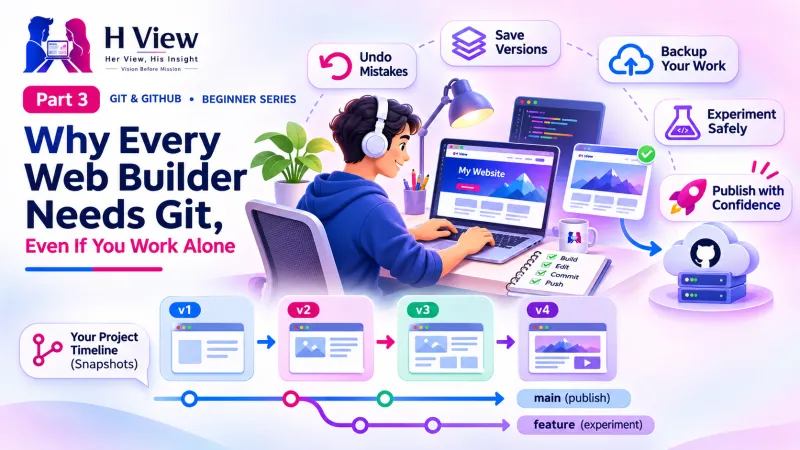 Also readWhy Every Web Builder Needs Git, Even If You Work Alone (Part 3)→
His Insight
Do not get stuck choosing a platform. The valuable skill is Git itself: commits, branches, merges and pushes. These work the same on GitHub, GitLab and Bitbucket, and moving a project between them is routine. Pick GitHub for its community and free hosting, learn Git deeply, and adapt to whatever platform your next team uses.
H View Verdict
Git is the engine; GitHub, GitLab and Bitbucket are garages where you park and share what the engine builds. For beginners in India building websites and apps, GitHub is the natural first garage. In Part 3 we look at why every web builder, even a solo freelancer, should be using Git from day one.
Self-assessment: test yourself
Ready? Tap an option for each question. You will see right away whether you got it, with a short explanation, and your score at the end. Take your time, and try again as often as you like.
Git vs GitHub quiz: 10 questions
1. Which of these runs on your own computer and works offline?
- Git
- GitHub
- GitLab.com
- Bitbucket Cloud
Git is the tool installed on your computer. The others are websites.
2. Which company owns GitHub?
- Atlassian
- Microsoft
- Amazon
Microsoft completed its $7.5 billion acquisition of GitHub in October 2018.
3. Bitbucket is made by the same company as
- VS Code
- Jira
- Android
- WordPress
Atlassian owns both Bitbucket and Jira.
4. "Pushing" means
- Deleting old commits
- Sending your commits from your laptop to GitHub
- Downloading a teammate's work
- Installing Git
Push sends commits up to GitHub; pull brings commits down to your laptop.
5. Can you use Git without a GitHub account?
- Yes, Git works fully on your computer
- No, Git needs GitHub to run
- Only on Windows
- Only with a paid plan
Git is independent. GitHub adds online storage and teamwork on top.
6. In Arjun's analogy, GitHub is like
- The phone camera
- Google Photos
- The phone charger
- A photo frame
The camera (Git) takes snapshots; Google Photos (GitHub) stores and shares them.
7. Which platform is especially known for letting companies host it on their own servers?
- GitHub Pages
- GitLab
- GitHub Mobile
- Google Drive
GitLab is popular for self-hosting and built-in CI/CD.
8. "GitHub Desktop" is
- A different version control system
- A free app for using Git and GitHub with buttons
- A paid GitHub plan
- A type of laptop
GitHub Desktop is an app; plans like Free, Pro and Team are what you pay for.
9. According to Octoverse 2025, which country added the most new developers to GitHub?
- United States
- India
- Brazil
- Germany
GitHub reported more than 5.2 million new developers from India in 2025.
10. If your new company uses Bitbucket, your Git skills from GitHub will
- Be useless
- Transfer, because the Git underneath is the same
- Need a new certificate
- Only work on weekends
All three platforms use Git, so commits, branches and pushes work the same way.
Frequently asked questions
Is GitHub free to use?
Yes. GitHub has a free plan that lets you create public and private repositories. Paid plans add features for professionals and companies; see GitHub's pricing page for current details.
Is Git the same as GitHub?
No. Git is a version control tool on your computer. GitHub is a website that hosts Git projects online and adds collaboration features.
Should I learn GitHub or GitLab first?
Most beginners should start with GitHub because of its large community and free hosting. If your employer uses GitLab, learn that instead; the Git commands are the same.
Do I need to know coding to use GitHub?
No deep coding is needed. If you can create website files, you can use GitHub, and GitHub Desktop lets you do it with buttons instead of commands.
H View stories follow our editorial policy. Spotted an error? Tell us and we will correct it.
Rate this article
One tap is enough. No comment needed.
Was this article helpful?
Your answer goes straight to our editors.







Comments0
No comments yet. Start the conversation.